Pool Chemical Calculator
Gunter Business SolutionsHouse & Home
3.561.00 Reviews
- Version
- 5.6.8
- Installs
- 50.00K
- Age Rating
- Everyone
Screenshots
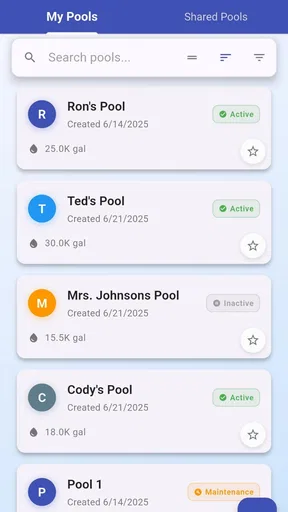
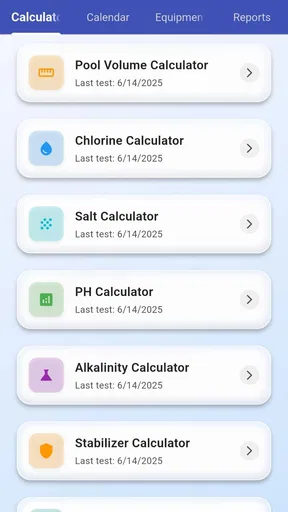
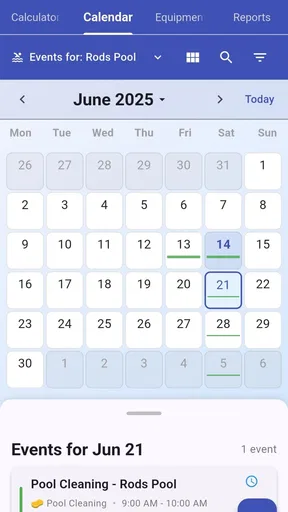
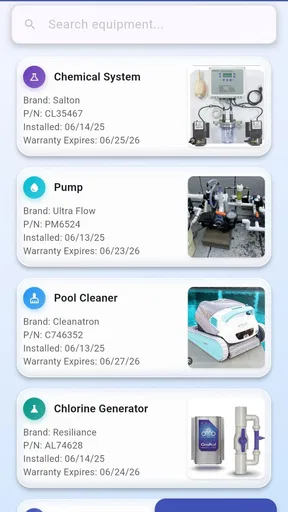
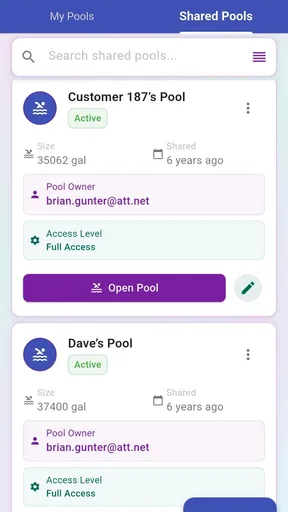
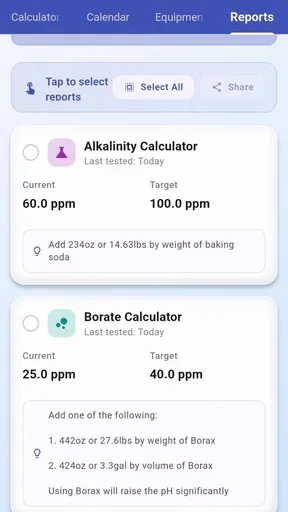
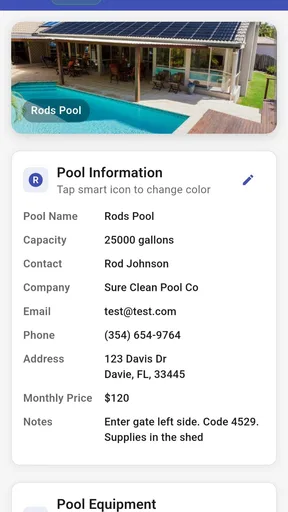
Our Review of Pool Chemical Calculator
 Analysis by Appyee
Managing pool chemistry sounds simple until a test result leaves you wondering what to adjust first, how much to add, and whether the reading itself can be trusted. Pool Chemical Calculator, developed by Gunter Business Solutions, is designed for that practical gap. It is a free House & Home app that helps turn pool test information into a more organized chemical-balancing routine, rather than leaving you to remember formulas or search through general advice every time.
I found its value less in making pool care effortless and more in giving a repeatable place to work through calculations. That distinction matters. The app can help a careful pool owner avoid rushed guesses, but it cannot replace a reliable test kit, correct product instructions, or good judgment about water conditions. If you approach it as a calculator and planning aid, it makes more sense than treating it as an automatic diagnosis tool.
Where pool owners usually get stuck
The first obstacle is often not the app itself. It is knowing which numbers belong in the calculation. Pool water is affected by volume, current readings, target readings, and the strength or type of the chemical being used. If one of those details is entered incorrectly, a neat-looking result can still lead to a poor decision. I would therefore keep the test kit, chemical container, and a rough estimate of pool volume nearby before opening the calculator.
This is especially important for irregular pools. A rounded estimate may be good enough for a broad planning decision, but it is not the same as a measured volume. Depth changes, shelves, sloped floors, attached spas, and unusual shapes can all make a simple length-by-width calculation misleading. Pool Chemical Calculator can organize the arithmetic, but it cannot know whether your measurements describe the water accurately.
Another common sticking point is the difference between a test reading and a target. A user may see a low or high number and immediately enter it without checking the unit or the specific water parameter being addressed. I recommend pausing at this stage. Read the label on the test product, confirm what the number represents, and then make sure the app’s selected calculation matches that task. This small check prevents the most avoidable kind of error: solving the wrong problem correctly.
The app’s store summary focuses on tracking and balancing pool chemical levels, while its short description presents it as a pool chemical calculator. In daily use, that positioning sets a reasonable expectation: it is most useful when you already have information and need help applying it. It is not a substitute for testing, and it should not be the only basis for deciding whether swimming is appropriate.
Why the first calculation deserves extra care
When using a calculator like this, I prefer to make one change at a time whenever conditions allow. If several chemicals are adjusted together, it becomes difficult to tell which change produced the next test result. A staged approach also makes it easier to notice an input mistake before it affects the entire pool. This is a practical strength of using a dedicated tool: it encourages a more deliberate routine than mental arithmetic performed beside the equipment.
There is also a useful difference between a calculated amount and the amount you actually add. Product concentration, granule or liquid form, and manufacturer directions can vary. I treat the app’s result as a starting calculation, then compare it with the chemical label before adding anything. That extra step is not unnecessary caution; it is how you account for the product sitting in front of you rather than assuming every container has the same strength.
Setup checks that prevent avoidable trouble
Before relying on the result, I would check four things: the pool volume, the current test value, the desired value, and the chemical product information. These are not glamorous setup steps, but they are where most of the real accuracy comes from. If the pool volume is only an estimate, keep that uncertainty in mind when interpreting the suggested amount and retest after circulation instead of assuming the first adjustment was perfect.
It is also worth checking the app’s compatibility before installing it on an older device. The current version is 5.6.8 and requires Android 7.0 or later. That makes it accessible to many Android users, but anyone keeping an older phone or tablet should verify the operating system first. The app is listed for Everyone, which fits its household-use focus, although an age label does not make chemical handling suitable for unsupervised children.
Installation is free, but the app includes in-app purchases ranging from ninety-nine cents to ninety-nine dollars and ninety-nine cents per item. That is a detail I would keep in mind before exploring optional parts of the experience. For basic evaluation, the free installation is the sensible starting point. If a purchase screen appears, read what it unlocks and decide whether it is relevant to your routine rather than assuming payment is required for every calculation.
The app has been available since February 5, 2019, and its presence is reflected in over fifty thousand installs. Its average rating is three point five from over two hundred ratings, with over sixty written reviews. I read that as a sign of a useful but not universally smooth experience. It is not a reason to dismiss the app, but it does suggest that device differences, expectations, or workflow friction may matter for some users.
A sensible first-session routine
On a first visit, I would avoid entering a long series of adjustments just to explore every option. Start with one known problem and write down the values before changing anything. If the result looks unexpectedly large or small, stop and recheck the volume and units rather than adding the chemical immediately. This habit is more valuable than speed because it creates a simple reference point for troubleshooting.
I would also keep a handwritten or phone-based note of the date, test values, product used, and amount added. Even if the app helps track levels, a separate note gives you a clear history when the water behaves differently later. It can reveal patterns such as a recurring drop after heavy rain or an adjustment that repeatedly overshoots the intended target. The insight comes from comparing entries over time, not from trusting one isolated result.
One non-obvious advantage of this approach is that it separates calculation problems from measurement problems. If the same input produces a consistent result but the pool test keeps disagreeing afterward, the issue may be circulation, testing technique, product strength, or water conditions. Without a record, those possibilities blur together. With a record, you can investigate them in a more orderly way.
Recovering when the workflow goes wrong
If you lose track of what you entered, I would not try to reconstruct the session from memory while standing over the pool. Return to the test kit, repeat the measurement if appropriate, and begin again with a clean set of values. A fresh calculation is usually safer than trying to correct a chain of uncertain assumptions. This is particularly true after several chemicals have already been added.
When a result seems unreasonable, use a short recovery sequence. First, confirm that the volume is expressed in the expected unit. Next, check that the current and target readings were not reversed. Then verify that you selected the intended chemical or adjustment type. Finally, compare the result with the product label and consider whether the pool’s condition calls for professional advice instead of another calculation.
That sequence is useful because it starts with simple input errors before moving toward more complicated explanations. It also avoids a common mistake: changing several fields randomly until the displayed amount looks more comfortable. A number that feels plausible is not necessarily a number that reflects the pool.
If the app closes, behaves oddly, or appears not to retain the information you expected, I would first note the values externally and reopen the task calmly. Check that the phone is running a compatible Android version, then repeat the calculation with the same inputs. If the result changes, compare the entries character by character. If the issue continues, the app’s Help or support route and the developer, Gunter Business Solutions, are the appropriate places to seek product-specific assistance.
How to avoid turning a small error into a large adjustment
My preferred workflow is conservative: test, calculate, inspect the label, add a measured amount, allow circulation according to the product’s directions, and test again. I would not use the calculator to justify adding a large quantity all at once when the initial volume or test reading is uncertain. Breaking a correction into sensible stages gives you more chances to catch an incorrect assumption.
This is also where the app compares favorably with doing everything manually. A paper formula can work, and many pool products include dosing charts, but switching between labels, calculator screens, and handwritten arithmetic creates more opportunities for transcription mistakes. Pool Chemical Calculator puts the arithmetic task in one focused place. The trade-off is that a dedicated calculator may feel less forgiving if you do not understand the terminology behind the fields.
Compared with a full pool-monitoring service, the app is likely to appeal more to owners who want direct control and fewer layers between a test result and a decision. A service or connected sensor may offer broader automation, reminders, or interpretation, but it can also cost more and may be excessive for someone who tests occasionally. I would choose this app when I want calculation help, not when I want the entire maintenance process managed for me.
When the app is not the cause
Pool chemistry can remain unstable even when the calculation is correct. Rain, evaporation, swimmer load, sunlight, debris, filtration, and water replacement can all affect results. A user may therefore blame the app because a reading does not move toward the target, when the real issue is that the pool has not circulated long enough or another condition is consuming or diluting the adjustment.
Testing technique deserves equal attention. A contaminated sample container, expired test materials, poor lighting, or reading a color strip outside the recommended time can produce misleading input. If the app consistently calculates from the values you enter, but the physical result seems wrong, repeat the test using careful procedure before changing the calculation. The calculator cannot correct a test result that was never reliable.
Product formulation is another source of confusion. Two containers intended for a similar purpose may have different strengths or instructions. I would never assume that an amount calculated for one product automatically applies to another. Read the label, follow its handling directions, and treat the app as mathematical assistance rather than authorization to ignore manufacturer guidance.
There are also situations where I would skip the app and seek experienced help. A strong chemical smell, visibly unusual water, damaged equipment, a suspected contamination event, or uncertainty about safe swimming conditions is not merely a calculation problem. In those cases, adding more chemicals based on a phone result can make matters worse. The app is best used for routine balancing, not as an emergency decision-maker.
A realistic weekend example
Imagine testing the pool before guests arrive and finding that one level is outside your preferred range. Instead of pouring in a guessed amount, you measure the pool volume as accurately as possible, enter the current reading and target, and check the product label beside the result. You then add only the amount that fits both the calculation and the product instructions, circulate the water, and test again before deciding whether another adjustment is needed.
In that scenario, the app’s practical benefit is not that it predicts the entire outcome. It gives you a consistent calculation and reduces the temptation to rely on memory. The more important decision remains yours: whether the measurement is trustworthy, whether the product is appropriate, and whether enough time has passed for the water to mix.
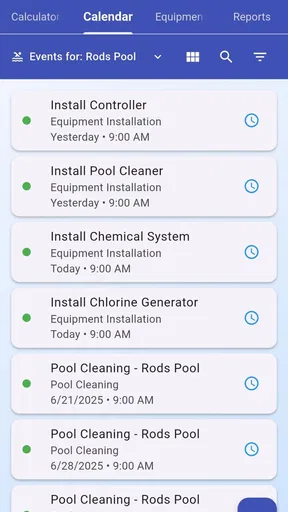
I would not recommend it as the main tool for a property manager handling many pools, a user who expects automatic readings, or someone who wants a guided maintenance calendar with every task in one place. Those users may be better served by specialized monitoring equipment or a broader maintenance platform. The calculator’s focused design is an advantage for a household owner, but a limitation for complex operations.
My practical verdict
After looking at how it fits into real pool care, I see Pool Chemical Calculator as a useful companion for people who already test their water and want help with the arithmetic. Its free entry point, household focus, and Android 7.0 compatibility make it approachable, while the current version 5.6.8 shows that it remains an actively relevant option for users on supported devices.
The most important strength is disciplined decision-making, not chemical magic. Used with accurate measurements, product labels, patient retesting, and sensible notes, it can make routine balancing less intimidating. It is particularly helpful for a new pool owner learning how volume and target levels affect dosing, or for an experienced owner who wants to stop repeating calculations by hand.
The limitations are just as clear. It cannot improve a bad test sample, identify every cause of unstable water, verify your pool’s true volume, or decide whether conditions are safe. The average rating of three point five suggests a mixed experience, so I would install it with realistic expectations and test the workflow on a small, familiar task before depending on it during a major correction.
For me, the best reason to recommend it is that it encourages a repeatable process: record the reading, check the inputs, compare the result with the label, make a measured adjustment, and test again. If that is the level of help you need, Pool Chemical Calculator is worth trying as a free tool. If you want automation, connected hardware, professional interpretation, or a complete maintenance system, I would look beyond a calculator and choose something built for that broader job.
It is also suitable for an Everyone-rated household audience, but responsible use still matters. Store chemicals securely, follow the product instructions, and keep children away from handling tasks. In the end, I would recommend this app to a careful pool owner who values a clear calculation and is willing to verify the result. I would not recommend using it as a shortcut around testing or safety judgment.
Verdict
Strengths of Pool Chemical Calculator
- Quickly calculates chlorine, pH, alkalinity, and other pool adjustments.
- Useful for maintaining balanced water without relying on guesswork.
- Simple interface makes routine chemical checks easy to understand.
- Helps estimate the amount of product needed before treating the pool.
- Can support regular maintenance for both new and experienced pool owners.
Limitations of Pool Chemical Calculator
- Results depend on accurate water-test readings and correct pool measurements.
- Chemical recommendations may vary by product concentration and brand.
- Does not replace professional advice for serious water-quality problems.
- Some users may find advanced pool chemistry terms difficult at first.
- Incorrectly entered values can lead to unsafe or ineffective treatment amounts.
Similar Picks in This Category
View All
Universal TV Remote Control
CodeMatics Media Solutions3.9

AlfredCamera Home Security app
Alfred Systems Inc.4.7

Planner 5D: AI Home Design
Planner 5D4.5

Universal Tv Remote-Cast to TV
One Music Player4.1

Zillow: Homes for Sale & Rent
Zillow Group4.8

99acres Buy/Rent/Sell Property
infoedge.com4.3
Frequently Asked Questions
What is Pool Chemical Calculator used for?
Pool Chemical Calculator is designed to help pool owners estimate the amount of chemicals needed to adjust and maintain water balance. It can guide calculations for factors such as pH, alkalinity, chlorine, calcium hardness, and pool volume. The app is especially useful when preparing for routine maintenance, although its results should be treated as recommendations rather than a substitute for testing the water properly.
How accurate are the calculations in Pool Chemical Calculator?
The calculations can be useful when the information entered is accurate, but the app cannot measure your pool water by itself. Results depend on correct details such as pool size, current chemical readings, target levels, and the concentration of the product being used. Before adding chemicals, compare the suggested dosage with a reliable test kit and follow the manufacturer’s instructions on the product label.
Can Pool Chemical Calculator work with different pool shapes and sizes?
Most pool chemical calculators support common pool shapes, including rectangular, circular, oval, and irregular pools, allowing users to estimate water volume more easily. For pools with multiple sections, sloped floors, unusual designs, or attached spas, the calculated volume may only be an approximation. Measuring the average depth carefully and entering the closest available dimensions will generally produce more useful results.
Does the app tell me which pool chemicals to buy?
Pool Chemical Calculator generally focuses on dosage and water-balance calculations rather than acting as a shopping service. It may refer to products such as chlorine, acid, baking soda, stabilizer, or calcium increaser, but users still need to choose a suitable brand and concentration. Always check the active ingredient percentage, read the safety directions, and avoid mixing chemicals unless the product instructions specifically allow it.
Is Pool Chemical Calculator safe for beginners to use?
The app can be helpful for beginners because it organizes several pool-maintenance calculations in one place and may reduce guesswork. However, new pool owners should understand that incorrect measurements or careless chemical handling can damage pool surfaces, equipment, or cause injury. Use protective equipment, add only one chemical at a time, keep people away while treating the water, and retest before swimming.
